
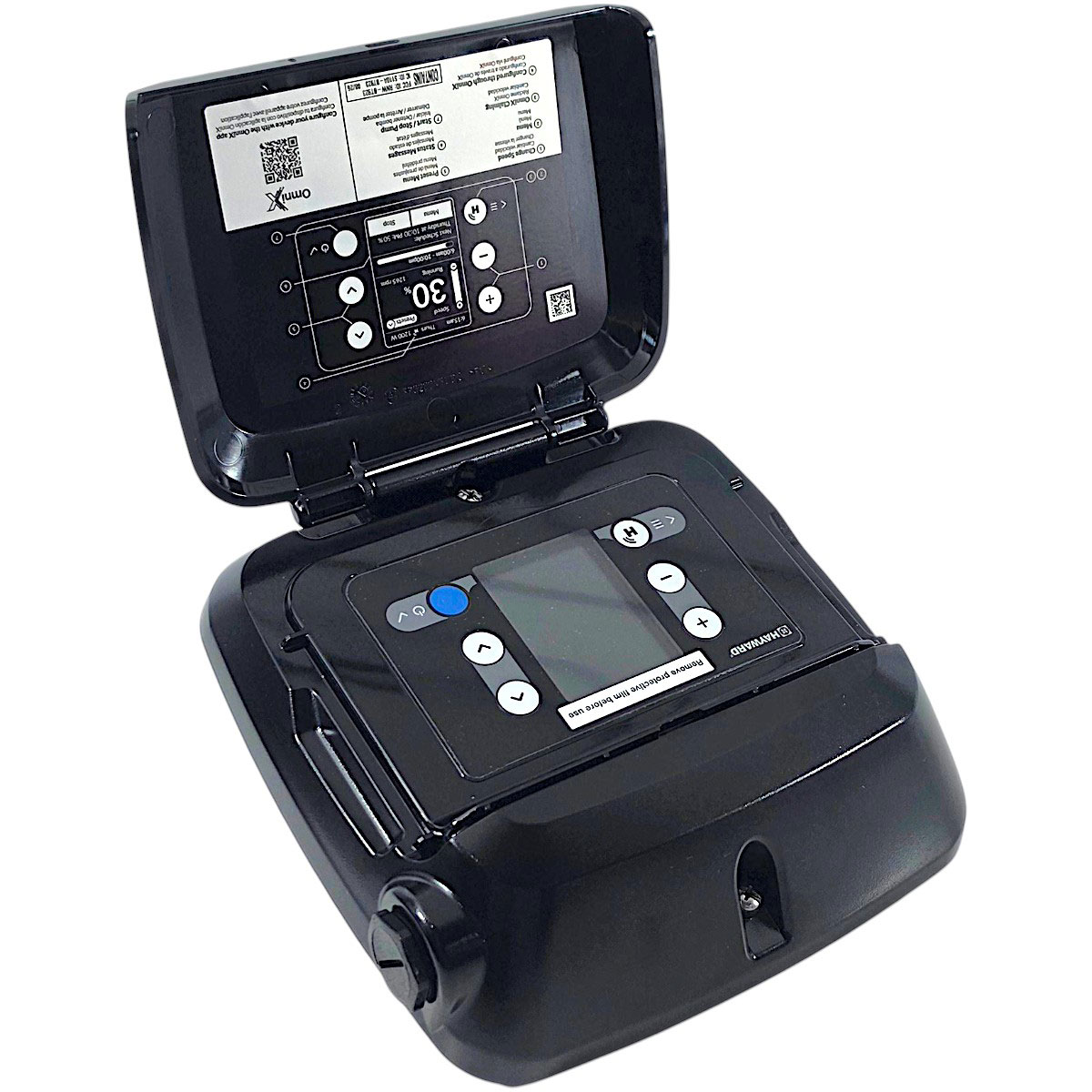
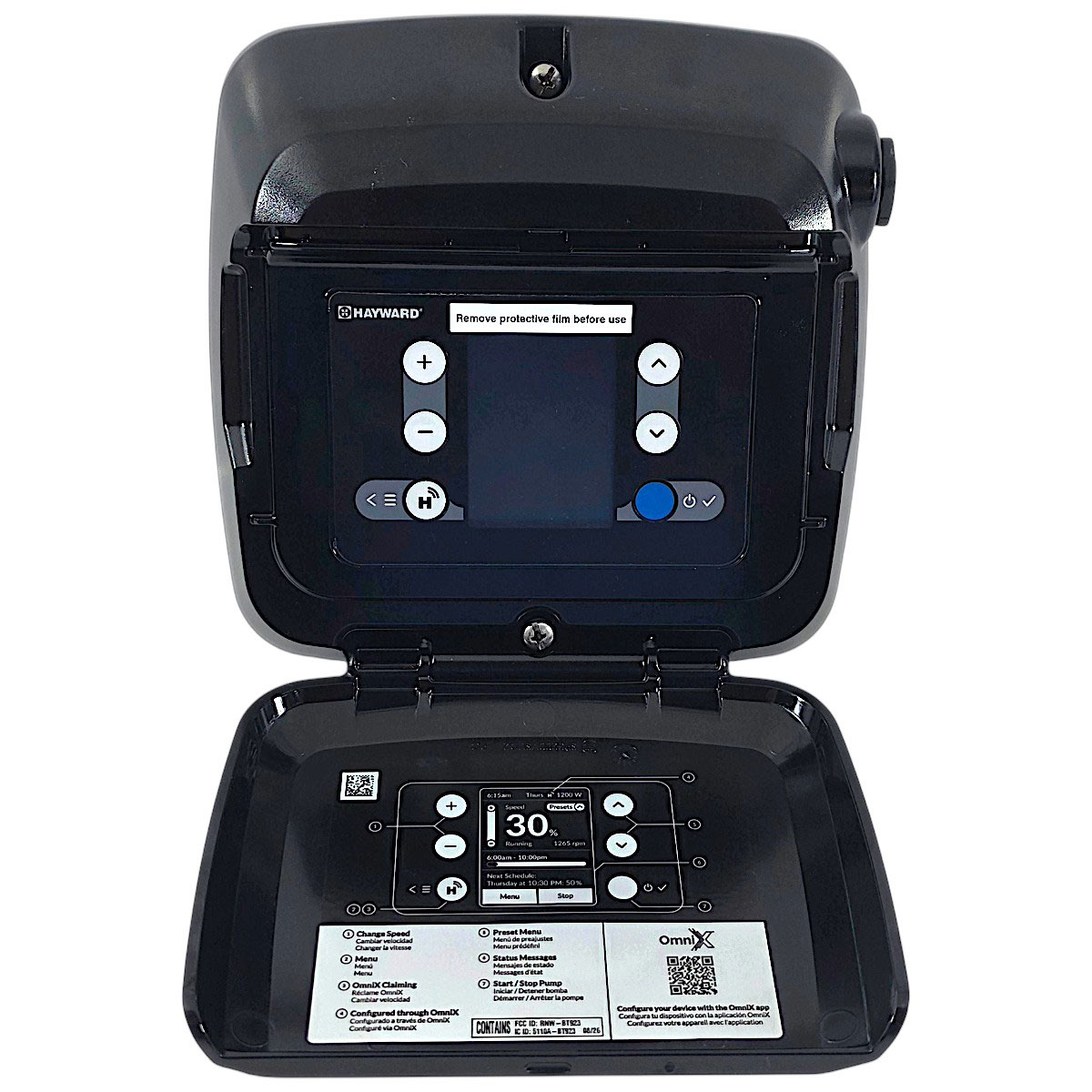
Hayward VSXDISPLAYX1 digital control display for TriStar VS and MaxFlo VS variable speed pumps. Replaces SPX3200LCD and adds OmniX wireless app control. Replaces SPX3200LCD and adds OmniX wireless app control.
The Hayward VSXDISPLAYX1 is the genuine OEM digital control display for Hayward TriStar VS, Super Pump VS and MaxFlo VS variable speed pool pumps. It is Hayward’s current replacement for the discontinued SPX3200LCD Digital Control Interface Assembly, so if your pump display is blank, cracked, faded or unresponsive, this is the part that restores full keypad control of speeds, schedules and diagnostics.
The VSXDISPLAYX1 also does more than the display it replaces. It is an OmniX retrofit kit: it adds built-in wireless automation to your existing Hayward VS pump, so you can run and program the pump from your phone through the OmniX app. Replacing just the display is far less expensive than replacing the motor drive or the whole pump.
Key Features and Benefits
- Direct OEM replacement: Supersedes Hayward SPX3200LCD on compatible VS pumps.
- Full local control: Keypad and display for speed presets, run schedules, timers and diagnostics.
- OmniX wireless app control: Operate and program the pump from your phone without a central automation controller.
- Control from anywhere: Remote access is available with the optional OmniX Gateway (sold separately).
- Universal automation display: Per Hayward, works with Omni, OmniX and compatible third-party automation systems.
- Enhanced programming and diagnostics: Simple, intuitive interface with advanced troubleshooting information.
- User and account management: Built into the OmniX app for homeowners and pool professionals.
- Easy installation: Retrofits onto existing Hayward VS equipment.
Compatibility
Hayward lists the VSXDISPLAYX1 retrofit kit for the following VS Series pumps:
| Pump Series | Compatible Models |
|---|---|
| TriStar VS Series | SP32900VSP, SP32950VSP, HCP3020VSP, HCP2500VSP |
| Super Pump VS Series | SP2670020VSP |
| MaxFlo VS Series | SP23520VSP |
Replacing an SPX3200LCD on another model? The SPX3200LCD was used across a wider range of Hayward VS pumps, including Super Pump VS (SP2603VSP, SP26115VSP, SP2670010VSP, HL2670020VSP), MaxFlo VS (SP2303VSP, SP23115VSP, SP23510VSP, HL2350020VSP) and TriStar VS (SP3200VSP, SP3202VSP, SP3206VSP, SP3206VSPVR, HL32900VSP, HL32950VSP). Please contact us with your pump’s model and serial number before ordering so we can confirm fit.
Not for XE Series pumps. TriStar XE, Super Pump XE and MaxFlo XE pumps use the separate Hayward VSPOMNIX retrofit kit. This display does not convert a single-speed or two-speed pump into a variable speed pump.
Common Reasons to Replace Your Pump Display
- Blank, dim or faded LCD screen
- Unresponsive or cracked keypad buttons
- Sun, heat or moisture damage to the display
- Pump runs but can no longer be programmed
- Upgrading an SPX3200LCD pump to OmniX app control
Frequently Asked Questions
- Does the VSXDISPLAYX1 replace the SPX3200LCD?
- Yes. Hayward lists VSXDISPLAYX1 as the replacement SKU for the discontinued SPX3200LCD Digital Control Interface Assembly.
- Which pumps is the VSXDISPLAYX1 compatible with?
- Hayward lists TriStar VS SP32900VSP, SP32950VSP, HCP3020VSP and HCP2500VSP; Super Pump VS SP2670020VSP; and MaxFlo VS SP23520VSP. For other SPX3200LCD-equipped VS pumps, confirm with your model and serial number before ordering.
- Do I need an automation system to use it?
- No. The display works as a standard local keypad, and OmniX app control connects directly to the pump without a centralized automation controller.
- Can I control my pump away from home?
- Yes, when used with the optional Hayward OmniX Gateway, which is sold separately.
- Will it work with my XE Series pump?
- No. Hayward TriStar XE, Super Pump XE and MaxFlo XE pumps use the VSPOMNIX retrofit kit instead.
- Will this make a single-speed pump variable speed?
- No. The VSXDISPLAYX1 is a display and control upgrade for pumps that are already Hayward VS models.
We sells only brand new products; however, we do not provide any warranty coverage ourselves, nor do we guarantee manufacturer warranty eligibility.
It is the sole responsibility of the purchaser to verify whether a product qualifies for warranty coverage prior to making a purchase.
We strongly recommend contacting the product manufacturer directly to confirm warranty eligibility.
By completing your purchase, you acknowledge and agree that we are not liable for warranty coverage or support if the manufacturer refuses to honor the warranty based on their policies.
Reviews
There are no reviews yet.